Saturday, October 16, 2010

"Laptop Lobotomy"


The Acer "Aspire One" Experience...

A couple of laptops in need of minor assistance appeared @ the Peabody Labs doorstep recently, in the form of a used and abused  HP DV 6000 and an Acer Aspire One netbook. The latter being brand new and still in the box, with a request for some tweaking and security "up armoring". The little "One" came equipped with the minimalist Windows 7 Starter and sporting the Intel Atom N450 processor and 1 gig of DDR3. The only changes made were to get rid of all the crapware and the 30 day trial of McAfee for something permanent and free, that being "Avast Free Antivirus" ( a personal favorite ).


Also loading the latest version of Firefox, with Forecast Fox and setting it up to maximize the  screen space, 10.1 inch @ 1024 x 600 is about as limited as you can get in anything larger than a smartphone.  A few free improvements in the form Auslogics Disk Defrag, Malwarebytes, VLC Media Player and Open Office.

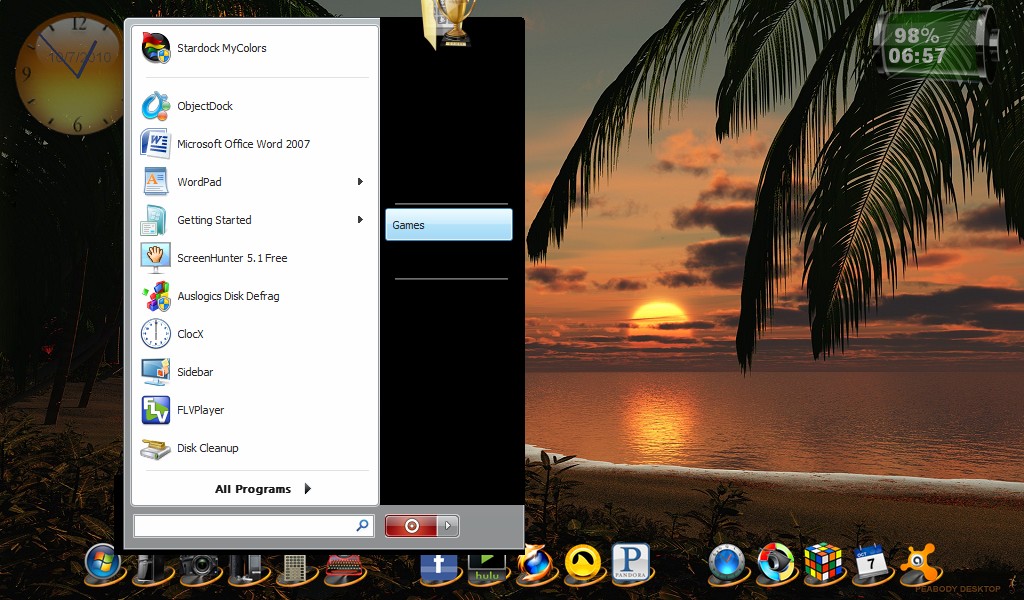
The lack of any desktop customization features is a glaring omission in Win 7 starter, without the ability to change the visual style or even change the desktop wallpaper. The only solution I could come up with that covered most of the bases safely ( without doing something stupid, like trying to edit the file path for the wallpaper in the registry ) was another free program from the fine folks @ "Stardock" called "MyColors".
The free version of "MyColors" comes with 3 free desktops, the least obnoxious of which is the "Diamond" desktop. After a flawless installation the program functioned beautifully, just as advertised and allowed for an easy change of the wallpaper from the bland "Starter" desktop. 


We're Talking Blaaaaand Here...


"Stardock" to the Rescue...


The "MyColors" Peabody Wallpapers


To top off the situation "ObjectDock" was added along with the obligatory custom Peabody icon set, and a couple of desktop "must have" gadgets namely, "Battery Gauge", the only accurate functioning battery meter I've found yet, ( the new version has time remaining displayed) and "Pro Weather", a nifty little weather gadget with a slick interface and a built in doppler radar feature.


The "ProWeather" Gadget ( expanded view )

"Radar Included"


I did find a slight glitch in ObjeckDock's Windows Start menu link in the form of incomplete display and upon closing, leftover video remnants. It was deleted and the keyboard Start key ( which functions fine ) will be the link. 
 
We've got a problem here...


That's Better...

I would liked to have added some Ram, as I have 1 gig of DDR3 that I would have gladly parted with to give Miss Lacey a little more speed, but oooh nooo, Acer made no provisions for putting memory in this thing without completely disassembling the entire machine, and there's no friggin way I'm doing that on a brand new, in warranty unit. (Of course I wouldn't hesitate, if it was mine).  I did try the Windows "ReadyBoost" feature but the results were inconclusive as to any real speed gains...


The "Basket Case" was next on the agenda, actually other than an unauthorized version of Vista Business and a couple of broken keys this HP DV 6000 laptop was pretty nice for a freebie. (  free is always a nice starting point...) This HP is billed as an "Entertainment Laptop" and it does have a few nice features such as a row of backlit, touch sensitive media player controls, decent speakers, a beautiful widescreen display and a button on the touchpad to turn it off while typing... and this unit showed up with the larger 9 cell battery pack which is a big plus as it also functions as prop to help with venting underneath. ( the AMD processor puts out considerable heat )...  
 

Oh Craaaap, This Could Present a Slight Problem...

Hey, Just Avoid Any Words With the Letter "B"...
  This thing had changed hands a couple of times and somehow lost it's original copy of "Vista Home Premium" and the back up partition on the hard drive that HP puts there just in case ( it "got a virus" I was told), and acquired a rogue copy of Vista business,(a friend whose a "computer guy" did it). Just great, an unauthorized operating system, incessant pestering to register with more limitations than Win 7 starter. Now I would have recommended just shelling out a few bucks for an upgrade to Win 7, but without an authorized copy of Windows on board, that's closer to $200 bucks. ( with a budget of $100, it's not an option )

No Windows 7, Dammit...


"I'm Holding It For A Friend, Officer"
Hmmm, I wonder if the manufacturer can help out? After visiting HP's support website and giving the laptop's serial number ( gee, I hope this thing wasn't ever stolen ) and the info from the original Microsoft sticker, "Taa Daa", HP is sending the authorized restore disc copy of the original Vista Home Premium OS for $15 bucks. The smug feeling of self satisfaction is heavily tempered by the fact that it's "Vista" and the HP support folks are probably giggling @ having sold a copy of something they couldn't give away... But it gets us up and running within budget.

Some DimWit Actually Paid For a Copy of "Vista"


   The only problem I experienced after reloading Vista, other than the interminable wait, was the low disc space warning soon afterward. What the heck? This thing has a 100 gig hard drive...Oh Yeah, no problem, easy fix.

To reclaim any unallocated hard drive space: Go To : Control Panel > "System and Maintenance"...


Click on "Create and Format Hard Disk Partitions"...


Right Click On (C:) "Healthy System Boot Page"...


Select "Extend Volume"


Select the Amount You Would Like to Add...and Click "Next"...


Click "Finish"...


And There You Have It...


Next is the damaged keyboard which is an easy fix, and was obtained on Ebay for $12.89 with shipping included, yippee...


 After removing 5 screws under the battery ( holds media controls bezel and keyboard ) and 1 under the memory access cover ( holds keyboard )...


 Gently raise up the media controls, being careful not to disconnect or damage it's ribbon cable / connector.


Flip the keyboard up and out from under the media player bezel.


Gently unlock the connector by sliding the black retaining clip forward. ( I use a small plastic screwdriver )


 All that's left is to carefully remove the keyboard and reverse the whole process. 


This unit shipped with AMD's 1.8 ghz. Turion dual core and 1 gig of ram ( 2 x 512 mb sticks of course ) so a cheap upgrade was imperative. After a long and drawn out wait from the slooooow folks @ MemoryDepot.com... (recommendation "not" included), 2 x 1 gig of Kingston PC2 5300 finally arrived for  $55.39 with shipping. These folks must have one huge freakin facility, as it took 9 days for the order status to go from "in transit between warehouses" to "at our loading dock, awaiting pick up". It's been my experience  this is generally not a good sign and translates as "we don't actually have your stuff in stock, so we're stalling for time, tough toenails pal"...


Alrighty then, this leaves us with about $17 bucks, so I went for it and purchased the Logitech M305 mouse for $24.88 @ Wallyworld, I know that puts us over budget but the additional cost was not passed on to the customer, ( what a guy ole Peabody is, huh? ), family members... who needs em...(giggle...snort)


The usual suspects added and configured, all the drivers updated and Vista brought up to service pack 2 and we have a really nice, basic laptop here. (I'd definitely give up a 100 bucks for this thing)

Bethy's Rig... The $108.99 Laptop... Thanks Jimmy!

Sunday, September 19, 2010

"A Mini 311 Update"...

  An update on the HP "Mini 311" experience, if I were to sum it up in one word I think it would be "underwhelming", the main culprit here being Intel's somewhat anemic N270 Atom processor. In retrospect it probably would have been a good idea to hold out until a dual core Cpu to become available such as the new "N550", but such is not the case. That said, a bios update has become available that addresses the Mini's inability to boot to Windows while the Logitech usb nano receiver is installed, which is indeed a fix, chalk one up for the folks at HP... Problem solved.

                              Does anyone remember "Atom Ant"...?


  Also I've been having some audio issues whilst streaming Pandora radio on this unit, namely an intermittent interruption in the audio accompanied by a loud buzz ( approx. 3 second duration ). Once the buzz  starts occurring, after several minutes of streaming, it  seems to become almost cyclical occurring at regular intervals of a minute or so. This presents itself through the headphone jack and the on board speakers.  For me, one of the principal uses of this machine was as a portable audio player, so this is exceedingly very friggin annoying.


  As an electronic tech, my first concern was that it was a hardware issue, such as an ic or capacitor experiencing thermal breakdown or a bad solder connection on the motherboard. Being an eternal optimist, and because it's much simpler (hopefully), I decided to pursue the possibility of a software related problem. After some investigation at HP's technical support site and some other tech forums I came to the conclusion that reverting the SATA driver from the "Nvidia nforce" to the standard AHCI controller was the best fit for a fix. The result, no more buzzing Pandora...


 However, I am still experiencing an audio stuttering, (the problem this fix was originally intended to address), when trying to play mp3 files from a USB flash drive or the hard drive via Windows Media Player.
 I first discovered the "stuttering problem" after I'd had enough of the "buzzing issue" and inserted the thumb drive from my vehicle into the "Mini" to listen to some music and got the "M,M,M,Mel Tillis" version. Wonderful choice here, loud  intermittent buzz or constant stutter, WTF?... aaaaaaggghhhh!... Is the vein on my forehead bulging out yet?


 This "Mini" shipped from HP with Win 7 home premium 32 bit, most of the success stories on this particular fix seemed to be on the XP machines. For now I've regained partial functionality (and a slight drop in blood pressure), but we're not out of the woods yet...


  If you're experiencing buzzing, stuttering or similar audio problems on the Mini 311, give this a try...


 1. Open Control Panel -> Device Manager. Go to IDE ATA/ATAPI Controllers. Choose the Nvidia nForce Serial ATA Controller.


  2. Go to the Driver tab. Click Update Driver. Choose Browse my computer for driver software. Click Let me pick from list of device drivers.


  3. Select the Standard AHCI 1.0 Serial ATA Controller. Click Next, Okay, or whatever it asks for, and you’re done.


    The computer will need to be rebooted. ( possibly more than once... )
 If this doesn't fix your problem, don't forget to revert back to the Nvidia driver.
Transmission ended, Peabody over and out....

Wednesday, August 4, 2010

"Commercial Conundrum"...

 How many folks out there pay 40, 50, 60 dollars a month for cable or satellite tv without even blinking an eye? ( ok, maybe a slight "twitching" )


 How many of those 100's of pay channels would you consider are just plain crapola? The "Gems Channel" or "HSN" come to mind, or any channel that you have absolutely no interest in whatsoever. Ask yourself this, how many of those channels do you watch regularly, 8-10 maybe? Even if you've got children of different ages living at home , how many channels are they watching when they're not on a social networking website? ( how many of those, do you really want them watching ? ).


 How much content do those channels actually provide, and how would you rate the quality of the programs? Do they switch over to those informative and entertaining "info-mercials" after midnight? When you are watching your "pay tv service" are your regular programs incessantly peppered by commercials? A lot of questions perhaps, but I tend to get inquisitive when I think I'm being hosed...


 In the 1960s ( back when all you had to pay for was the tv set and an antenna ) a typical hour-long American show would run for 51 minutes excluding advertisements. Today, a similar program would only be 42 minutes long, a typical 30-minute block of time now includes 22 minutes of programming with six minutes of national advertising and two minutes of local. Some networks even use a 18 minutes of show, 12 minutes of commercial split... (wtf?)
  
 In other words, over the course of 10 hours, American viewers will see approximately three hours of advertisements, twice what they would have seen in the sixties. Furthermore, if that same sixties show is rerun today it may be cut by nine to eleven minutes to make room for the extra ads.
That favorite scene, in your favorite old show, has been cut out to make room for the "ShamWow"...


                            ( This asshat ain't no "Ron Popeil" )

 Short term memory loss aside, I've actually forgotten what the heck show I was watching by the time the commercial break was over.
( watched a movie on TBS, TNT or USA network recently? ).
Television commercials have taken on the ambiance of a college hazing ritual,... "Thank you sir, may I have another"?...


 The advertisers commercials are what "used to" pay for or "sponsor" the programming. Now, we're paying a monthly fee and in return we get...
an increase in commercials. That's right folks, we're "paying for the friggin commercials".


 I'll give the network people some credit, they have been considerate enough to devise a way to run little ads on the bottom of the tv screen so as not to break the continuity of your favorite tv show or movie as often .
( see the little people running around down there @ the bottom of your screen during that pivotal dramatic scene, thanks guys).
 Hey, just because you're paying for the television service doesn't mean you're allowed to fast forward through or circumvent any of the advertisements so thoughtfully placed for your convenience....

 What's next, some type of ultra bright, split second "flashcube" commercial that temporarily burns an image of the product logo into your retinas?  


  To be fair, there is a lot more programming available today then there was back in the good old days, and by sheer volume, more quality and variety. The problem is too many people trying to wring as much money out of the programs as possible,
( I believe it's called "greed" )
in the form of advertising and the inflated pay scale of people in the business. Have you checked to see what your favorite tv or movie personality made last year?  The folks in the entertainment industry are some of the most ridiculously over compensated individuals around, ( right behind most of our "elected officials" that is ).


 I highly recommend a "DVR" or "Tivo" to anyone paying for television, not only can you skip through the commercials but you can watch what you want when you want, pause a currently running show, ect. The modern DVR is simpler, easier to program and better than the old VCR ever was...

 Also if you live in or near a major metropolitan area, consider putting up an antenna, you might be surprised at the amount of digital HDTV programming available for free.


 With the increased accessibility to high speed internet, and the plethora of smartphone and tablet computer devices becoming available, I think much of this is going to change in the near future, hopefully for the better... There are a number of up and coming alternatives to the "status quo", such as "Hulu" or "Veoh"... Competition is a good thing.


 In the mean time, do not attempt to adjust your set, it's not gonna help, the thought that you're in control is only an illusion... ~Peabody~


Tuesday, July 13, 2010

"Harmonic Resonance"...

Peabody's Favorite Music Streaming Websites...

1. Pandora - The best all around music streaming service on the web, period. Pandora's ability to recommend artists and songs similar to those you enjoy is second to none. Based on the "Music Genome Project", which analyzes songs with up to 400 different musical attributes to generate  playlists based on amazingly similar music content, not just the "people who liked this, also liked" stuff. A simple straightforward interface, with a thumbs up / thumbs down allows you to fine tune your listening experience.


 You can select a "Quickmix" of the stations of your choice and the player will shuffle between them. Pandora provides detailed bio's of the artists and their music with the ability to purchase should you so choose. The free service is limited to 40 hours a month (that's a lot of music)  with minimal commercial interruption. I've been listening for years now, and just recently upgraded to "Pandora One" pay service. 36 bucks a year gives me unlimited air time, no commercials, a higher quality music stream @ a stellar 192 kps... and a nice stand alone desktop player.


 Pandora has apps for iPhone, Blackberry and Android phones, along with apps in a number of the new blu-ray players and tv's with integrated internet capabilities. If you listen to a lot of music that's not considered "mainstream", as opposed to the same old top 40 stuff that's played on broadcast FM radio, ( based on what everybody else thinks is "cool") try Pandora, their music recommendation engine is truly musically mind expanding.         

                                          "Pandora on the iPhone"


 2. Grooveshark - A very nicely designed interface and a colossal music library are the main selling points of Grooveshark ( oh yeah, and it's free ). The best feature in my opinion is the ability to build and edit playlists of specific songs and use them as your own "virtual mp3 player". I threw a lot of obscure artists and songs into the Grooveshark search engine and it usually returned with multiple hits.They also have a radio service with recommended artists based on your playlists.Grooveshark offers a pay service called "VIP", currently 3 bucks a month or 30 dollars a year, for this you get no advertising, a nice desktop app player and a much larger personal music library.


 The downside  of Grooveshark is the fact that it functions as a psuedo peer to peer network with all of it's content uploaded by other members. I'm not a fan of P2P networks as a whole, I don't want files downloaded into my computer from just any asshat out in cyberspace, nor do I want to give said asshat access to files on my system. There's a considerable amount of corrupted data being passed along @ P2P and torrent sites.  That said, I wouldn't download, or upload any files (that I don't own the copyright to) through Grooveshark's network, but I'm confident it's perfectly safe to stream their vast library of music through a web browser. I commend Grooveshark for what they're trying to do and I think they have come up with a good, if somewhat "unusual" concept, (selling music that members uploaded and give the artists a royalty). Lets hope the money mongers in the music industry don't sue them out of business... But until then enjoy...


3. Slacker- A huge music library, slick interface and over a 100 genre stations programmed by professional DJ's make Slacker an enjoyable experience. Add the ability to create stations based on a specific artist, while Slacker fills in the rest of the playlist with similar music. A user can add 15 or more artists into a selected personal station and Slacker will not add any additional artists, only songs from the chosen bands will play on that station.


 The whole player is extremely customizable, allowing you to achieve a really personal radio station. The free version is of course ad supported, with several levels of subscription service, allowing for removal of ads, turning off DJ's on stations and unlimited skips and replays. Slacker also comes with all the usual smartphone apps, including iPhone and Android.  All in all an excellent interactive music service if you're willing to put in a little extra effort to customize the experience...


  My take on free stuff is...there's no such thing as free, it cost the provider something, and yet if you look on the user forums and feedback sections of websites that offer free versions of their software, information, ect,  many folks belligerently complain about the service as though they were actually paying for it, (the "it should do this" or "why doesn't it do that", crap) maybe the whiners believe that there are people out there whose only purpose in life is to provide free software, information, massive computer data banks and network infrastructure just for them.


 The point being that if you frequent a favorite website, news, music service or whatever, click on their banner ads and links occasionally, that's what is paying for our "free ride".         (unless it's a porn site, in which case it's likely to become an "interactive experience", and you'll probably take some nasty throbbing malware up the proverbial backside).


  Sometimes you just have to spring for the pay version of a software or service.  It's one of the principal reasons I upgraded to "Pandora One". Although I've been quite content with the free version for years, I'm more than happy to give a little something back. Plus read my lips, "No Advertising", just 100 % music content 24/7....Are you getting that on your current "pay TV" service?.... Probably not...

Thursday, June 17, 2010

"Desktop Delirium"

If there's one thing I like its a neat, functional, minimalist desktop. Nothing there that doesn't serve a purpose. A place for everything and everything in it's place. With this in mind I would like to recommend the new Windows 7 operating system, its simpler and easier to get around in than the venerable XP. Whether you consider yourself a novice or intermediate user like myself, (intermediate lite, is more like it) every little bit helps. So fear not, if your thinking about a new computer purchase or upgrading from Vista, I think you'll be pleasantly surprised...

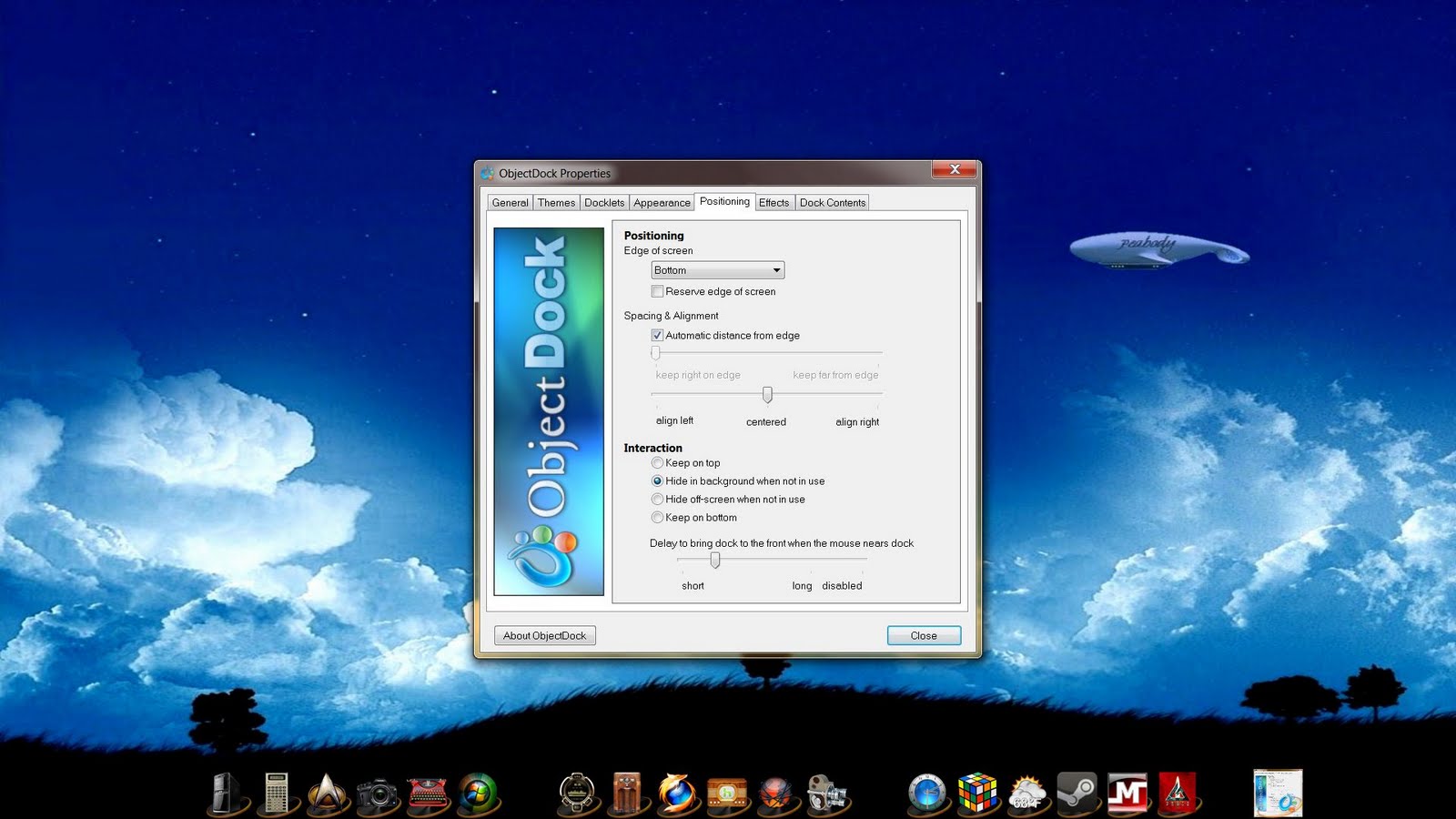
With functionality @ the forefront, I like the improved toolbar functions in Win7, with one exception, the quick launch feature is disabled by default. Instead of enabling the feature, I opted for a software program from the fine folks @ Stardock, called "ObjectDock". ObjectDock is an application that enables users to organize their shortcuts, programs and running tasks into an attractive and fun animated Dock. ( a "Mac" style dock on the Win7 desktop...)

                                               ( click to enlarge )

The dock is highly customizable and includes a number of useful integrated widgets such as a clock and weather widget. (I love a good widget). There are a plethora of adjustments, from the size, number, location and function of the icons. The program features a link to the many talented artists @ WinCustomize for custom icon sets, or like myself, you can create your own icons from photos, images, ect... Virtually all the icons on my current desktop are images that I have selected to represent a (quick launch) link to my most used programs and websites, it doesn't get much more custom than that. (my icons are available upon request, or if you want something customized just let me know, I'm always glad to help).
ObjectDock is functioning flawlessly on both the Win7, 64 bit Core2 Quad and the old Pentium 4, XP machine with no noticeable slowing or lag whatsoever. (with nice aero thumbnail images of open apps on the Win7 rig).


For those individuals that like the classic windows desktop, they have a great program called "Fences" to help you organize your icons. Best of all Stardock offers a Free version of most of their programs, with more fully featured versions for a modest price. A lot of hard work and thought went into the design of these wonderful programs so check these folks out...

If you're a real glutton for punishment and are somewhat technically advanced, try "Rainmeter". A highly configurable desktop application best suited to those that have some basic knowledge for writing or manipulating code. I played with it a bit, and it's beautiful and challenging to work with... (before  finding Stardock that is,... I don't need that much intellectual stimulation to set up my desktop, thank you...)


 As far as web browsers go, my personal favorite is still "Firefox", with scads of useful add-ons and features, it's the heavyweight champ in terms of overall functionality. Firefox recently added a  feature called "Personas" which allows you to change the background for your browser. Go to the Personas gallery page,(there are thousands of backgrounds) and simply mouse over a theme and it displays full screen, if you want it, just click the "wear it" button and you're done. Of course if you would like to get more involved, you can create your own "Personas" from personal photos, images and such. I've done several and it's fairly easy if you're even moderately capable with the average photo editor software.
 Whether your into butterflies or abstract art...


 or have a favorite movie or personal interest, they've got you covered and... it's amazingly easy...


  First and  foremost with a of all of the  above listed applications is "Functionality", it's function over form in my book every time... That said, the aesthetic appeal these programs add to the computer interface enhances the enjoyment factor, and allows you to easily express some personal creativity. So take total control of some aspect of your life, even if it's only your computer desktop...(we all have to start somewhere...)